


PRODUCT CODE: R8XTC 0R8XTC
MPN: R8XTC 0R8XTC
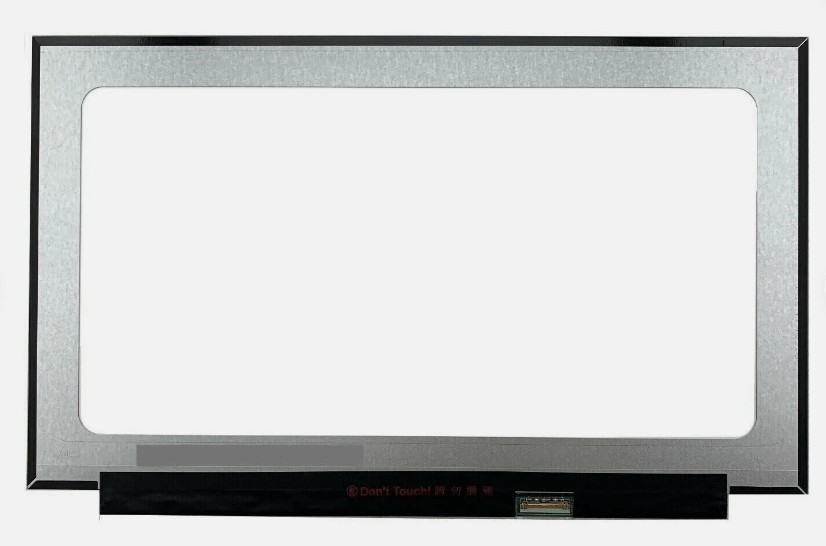
R8XTC 14" FHD 1920x1080 Touch Screen Assembly 0R8XTC for Dell Latitude 7420 7420S Complete Black IR Camera
QTY on hand: 10
Lead Time: Ships in 7 business days.
$ 260
$ 270
SKU
10
category:
Key words:
隐藏域元素占位

Buyer Protection
Full Refund If you don't receive your order
Full or Partial Refund, If the item is not as described
- DESCRIPTION
-
- Brand: DELL
- Commodity name: R8XTC 14" FHD 1920x1080 Touch Screen Assembly 0R8XTC for Dell Latitude 7420 7420S Complete Black IR Camera
- Commodity ID: R8XTC 0R8XTC
- MPN: R8XTC 0R8XTC
R8XTC 14" FHD 1920x1080 Touch Screen Assembly 0R8XTC for Dell Latitude 7420 7420S Complete Black IR Camera
【Product Overview】
This is a genuine 14.0-inch FHD IPS Complete Touchscreen Assembly (Dell Part Number 0R8XTC / R8XTC), designed for the Dell Latitude 7420 premium business laptop (also listed by parts suppliers as 7420S). Featuring a 1920×1080 (Full HD) resolution on a 16:9 canvas with an IPS-type WVA panel, an integrated capacitive touch digitizer, and an infrared (IR) camera for Windows Hello facial authentication, this complete assembly (Black) restores the laptop's display exactly to factory specification.
【Product Specifications】
【Key Highlights】
- Infrared (IR) Camera Included — Windows Hello Ready: This assembly includes the IR camera module, enabling Windows Hello facial recognition — an enterprise-critical security and convenience feature. IR camera modules are difficult to source separately and are frequently missing from cheaper non-IR listings, making this a key value differentiator.
- Full HD IPS Touch Display: 1920×1080 on an IPS-type WVA panel delivers sharp text, wide viewing angles, and responsive capacitive touch — the standard premium display configuration for Dell's 14-inch business flagship.
- Responsive Capacitive Touch: The integrated digitizer supports full Windows multi-finger gestures — tap, swipe, pinch-to-zoom — for intuitive navigation and tablet-style interaction.
- ComfortView Plus: Dell's hardware-level low blue light technology reduces eye strain during extended work sessions without the yellow color cast of software-only filters.
- Complete Top-Lid Assembly: Includes the panel, touch digitizer, bezel, hinges, IR camera module, and colour-matched Black cover — no component transfer or hinge reassembly required. The fastest, safest restoration path.
- Genuine Dell OEM: An authentic factory assembly — identical mounting dimensions, hinge alignment, camera placement, and cable routing for guaranteed fitment.
【Package Includes】
- 1 x 14.0" Dell Latitude 7420 FHD IPS Touchscreen Assembly (0R8XTC, Black)
- LCD Panel (1920×1080, IPS-type WVA)
- Touch Digitizer Glass
- Bezel Frame
- Infrared (IR) Camera Module
- Left & Right Hinges
- Black Outer Cover
【Installation Guide and Precautions**
- MODEL DESIGNATION VERIFICATION — IMPORTANT: Dell's official model name is Latitude 7420 (with a Latitude 7420 2-in-1 variant); some parts suppliers list the same part as "7420S." Confirm which model your buyer's laptop is, and verify 2-in-1 compatibility against your physical unit — the 2-in-1 and clamshell versions can use different display assemblies. Check your DP/N (0R8XTC) on the original panel label.
- Touch vs Non-Touch — CONFIRMED: This is the Touch assembly. The Latitude 7420 also shipped with non-touch FHD panels — these use different assemblies with different connectors and are not interchangeable. Verify your original configuration.
- Resolution Note — THIS IS CORRECT FOR THE 7420: Unlike Dell's later 16:10 models, the Latitude 7420 uses a genuine 1920×1080 (16:9) panel. Do not "correct" this to 1920×1200 — the Latitude 9420/9440 use 1920×1200, but the 7420 uses 1920×1080. Excel/Word scaling and bezel dimensions differ between the two.
- Brightness Variant Verification: Dell shipped the Latitude 7420 FHD panel in 250-nit and 400-nit variants. Verify your original panel's rating if matching a fleet specification matters.
- IR Camera / Standard Camera Variant: Some Latitude 7420 display assemblies include only a standard HD camera while others (like this one) include the IR camera for Windows Hello. Confirm the camera configuration on your unit — the camera module and bezel cutout differ.
- Battery Disconnection (CRITICAL): Shut down the laptop, enter the BIOS (F2), and enable "Disable Built-in Battery" (Config → Power) to electronically isolate the battery. Residual power can permanently damage the LCD timing controller, touch digitizer, and camera module.
- Full Assembly Handling: Use two hands and handle by the metal hinge mounts and outer cover edges. Do not grip or apply pressure to the touch glass — even slight flex can crack the digitizer.
- Cable Routing & Hinge Alignment: Route the display, touch, camera, and antenna cables cleanly through the hinge channels — a pinched cable causes flickering, lines, touch dropout, or webcam failure. Seat the assembly evenly on both hinge mounts and tighten screws in a cross-pattern.
- Professional Installation Recommended: While a complete assembly is far easier than a bare panel swap, hinge alignment and multi-cable routing warrant installation by a qualified technician. For corporate fleets, follow Dell's official Latitude 7420 Service Manual.
Related Products
Contact Us
SHENZHEN AROSE KINGSALES TECHNOLOGY CO.LTD
Mail Subscription


